it never moves on to the next installation step. executing the same command on my desktop downloads the .zip in about 1sec
mycodo just locks up an then restarts after about 20min. last two entries in diagnostic messages are reading oom-kill
can i maybe install highcharts manually via ssh?
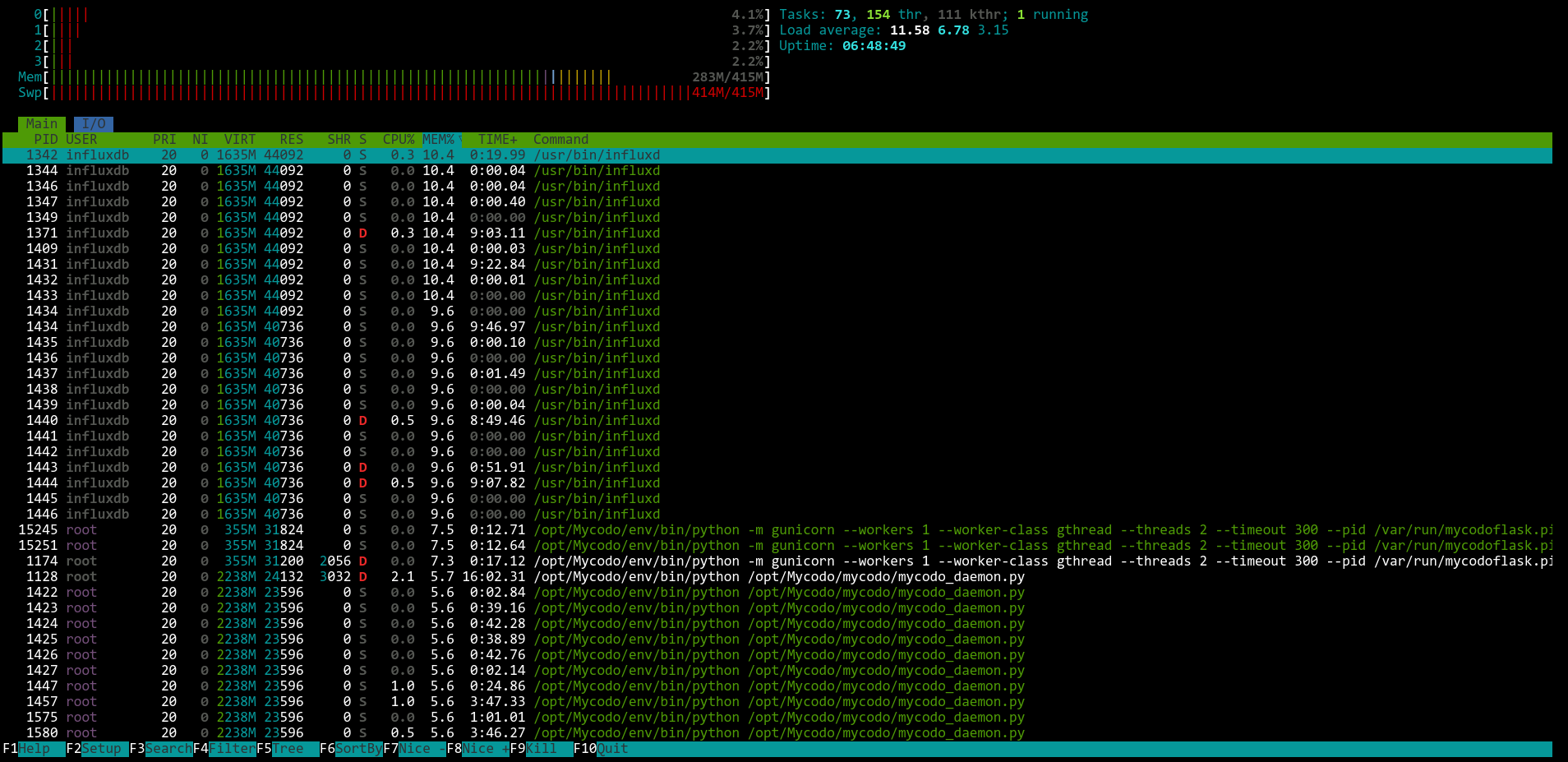
“oom” stands for Out Of Memory. It means that whatever device you are trying to install those dependencies on is already overloaded. What hardware are you running Mycodo on? How many other outputs, functions, or dashboards do you have running? Do you have anything besides Mycodo running on the same device? Have you tried running “htop” in a terminal to check your CPU and RAM loads and see which process is using the most resources?
Encountering this problem on raspberry pi 3 and zero 2w (512mb RAM). not running a lot of stuff, two outputs, one input, two PIDs. Installing these dependencies on a zero 2w in the past (2-3 years ago) worked without problems. I’ll try to stop the PIDs, deactivate sensors and outputs and start the dependency installation again. Thanks for the help
Influx is the database that mycodo constantly writes all it’s data to. If you have any inputs set to a high read-interval (like less than 5 seconds between measurements) it can sometimes cause an I/O bottleneck since the SD card can not keep up, and this is especially true on the Pi3 (not sure about the Pi Zero 2W). There’s an old trick where you can increase the clock-speed of the Pi3’s SD card slot, but it can cause SD card corruption if you do not have an SD card rated for faster write speeds (which usually isn’t a problem these days)
It’s possible (but unlikely) that the disk I/O bottleneck could lead to an oom error if the RAM cache is filling up because of the disk bottleneck.
Notice that your swap file seems to be maxed out. That can cause all kinds of problems. A good rule of thumb is to set your swap file to at least double what the ram is… your htop grab shows 415MB.
So instead of trying to “disable influx”… set your swap to 830MB, temporarily disable all of your inputs and functions, and then try the highcharts install again.
So the Pi now stays responsive during dependency installation but it appears I’ve run out of disk space so the installation fails. Thanks for your help kind stranger
Currently using an old 8 GB spare card. Thought I’d be fine but apparently it’s crammed, especially after increasing the swap file size. I’ve put a new card on my shopping list. Climate control is functional for now, the async graph would just be a nice to have feature.